Software Testing Guide Pro
We test it! by Radu OlaLibraries & Demo
4.62.00 Reviews
- Version
- 3.0.2026
- Installs
- 10.00K
- Age Rating
- Everyone
Screenshots
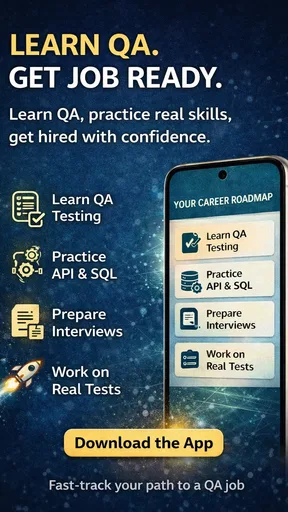

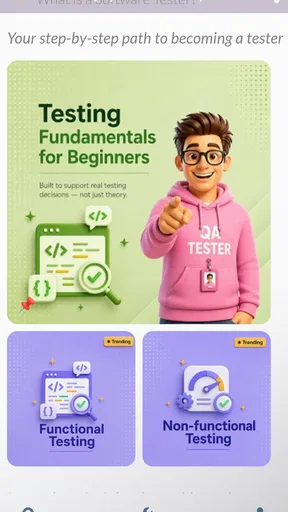
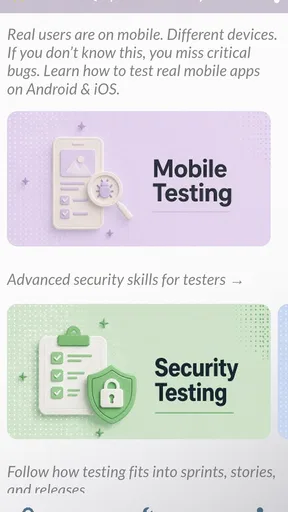
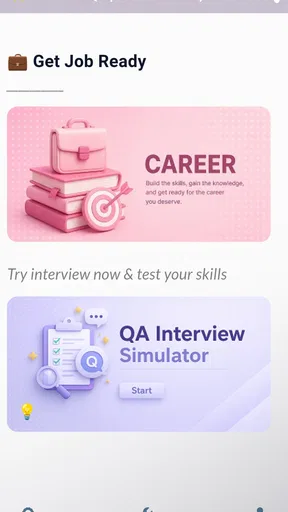
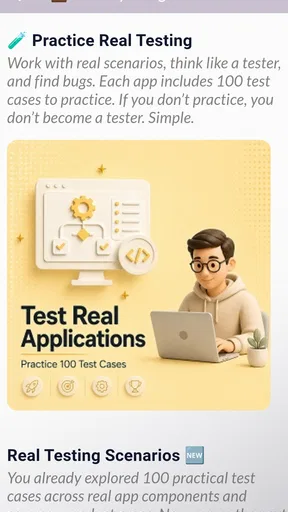
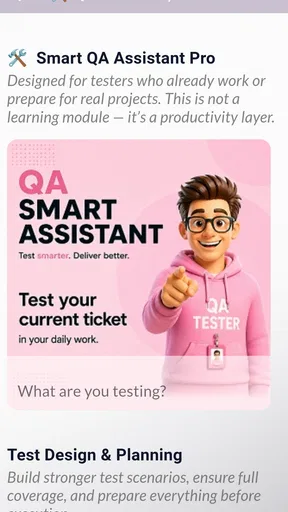
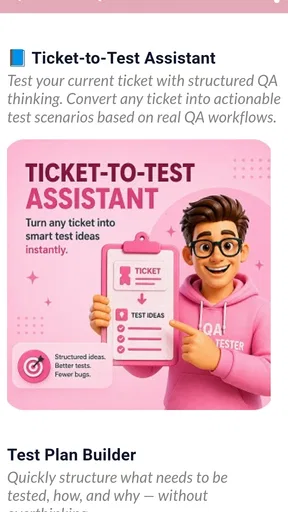
Our Review of Software Testing Guide Pro
 Analysis by Appyee
Have you ever found yourself tangled in the web of software development, wishing for a guiding light to navigate the intricate world of software testing? Well, let me introduce you to Software Testing Guide Pro. I stumbled upon this app a few weeks ago, and it’s been a game-changer for anyone involved in software testing, whether you're a newbie or a seasoned pro.
What to expect when you open it
For a learning app, speed matters less as a headline feature than as a practical question: can I get to a useful explanation during a short break, without losing my place in a long course? I would approach this as a pocket reference and study companion rather than a full testing environment. It is meant to support learning about software testing, not to run tests on an app or replace the tools used by a QA team.
The first thing you notice when you open Software Testing Guide Pro is its sleek and intuitive design. The user interface is a blend of simplicity and functionality, making it a breeze to navigate. I was hooked from the get-go because it didn’t overwhelm me with technical jargon. Instead, it felt like having a friendly mentor by my side, guiding me through the maze of testing methodologies.
That kind of approachable presentation is most valuable when you already have a question in mind. If you are trying to distinguish a test condition from a test case, for example, a focused reading session is likely to be more useful than opening a broad video course and searching through a long lesson. I would use the app in short bursts, then write a brief explanation in my own words; that extra step helps reveal whether I understood the concept or merely recognized the terminology.
Diving into Software Testing Guide Pro
Once you start using the app, you’ll find a treasure trove of resources. We're talking about tutorials, quizzes, and real-world scenarios that help you understand different testing techniques. Whether you’re interested in manual testing, automated testing, or performance testing, this app covers it all. I personally enjoyed the interactive quizzes that not only test your knowledge but also provide detailed explanations for each answer.
Quizzes can be more than a quick score check if you use them deliberately. I recommend answering before looking at an explanation, then noting why an appealing alternative was wrong. That is especially useful for testing topics where two approaches sound similar but suit different risks. A learner preparing for an interview could turn each mistake into a practice prompt: explain the reasoning aloud, then connect it to a project example. That makes the material easier to retrieve later than simply rereading a correct answer.
A realistic routine might be a junior tester reviewing one concept on the commute, taking a quiz over lunch, and then applying the idea to a small task at work. If the topic is exploratory testing, they could plan a short session around a user goal, record what they tried, and reflect on what the exercise revealed. The app can support that learning loop, but it cannot verify a tester’s actual product behavior or replace feedback from a colleague who knows the project.
Features That Stand Out
One thing that really impressed me is the comprehensive library section. It’s like having a mini-library of testing books right on your phone. You can dive deep into topics like functional testing, security testing, and even delve into the nitty-gritty of test case design. The app also keeps you updated with the latest trends in the industry, which is a huge plus.
For a broad library, the trick is to avoid treating every topic as equally urgent. I would start with the area closest to a current task, then branch out only when a concept depends on another one. For instance, someone drafting test cases can first focus on clear conditions and expected results, then study broader functional-testing ideas. This keeps a large body of reading from becoming a collection of half-finished topics and gives each session a practical purpose.
The library also works best as a starting point rather than the final authority for decisions with real consequences. Security and performance testing can involve specialized tools, organizational rules, and product-specific risks. I would use a concise explanation to build vocabulary and identify questions, then check those questions against the team’s process and the tools actually used on the project. That boundary is important: a learning guide can make technical discussions less intimidating, but judgment still comes from practice and context.
Another cool feature is the community forum. This is where users can share experiences, ask questions, and help each other out. It’s a vibrant hub of knowledge where you can connect with fellow testers from around the globe. I found it incredibly helpful to see how others approach common testing challenges, and I’ve picked up quite a few tips.
When using a community space for work questions, I would keep examples general and leave out confidential project details. A good way to get useful replies is to explain the testing problem, what you have already tried, and what outcome you expected, without naming a client or exposing private information. I would also treat advice as one perspective rather than a universal rule: teams differ in tools, release risks, and constraints, so a suggestion that fits one project may not fit another.
Making study time practical
Using this app has genuinely enhanced my testing skills. The real-world scenarios and case studies have been invaluable in applying theoretical knowledge to practical situations. It’s not just about learning; it’s about applying what you learn in your day-to-day projects.
A useful workflow is to pair a reading session with a tiny deliverable. After studying a topic, draft a test idea, a risk note, or a short checklist for a feature you already understand. Keep it deliberately small: the point is to practice turning concepts into questions, not to create a complete test plan from a single lesson. Revisiting that note later can show whether the idea still makes sense when the feature or assumptions change.
That approach is particularly helpful for people moving from general support, development, or business analysis into testing. They may already know how users interact with a product but need a more systematic way to think about coverage and risk. A guide can supply structure for that transition. It is less suited to someone who needs a hands-on coding course, a live test lab, or detailed coaching on a specific company’s workflow; those needs call for different resources.
Moreover, the app is designed to cater to different learning styles. Whether you prefer reading, watching videos, or engaging in hands-on activities, there’s something for everyone. This inclusive approach ensures that no matter your learning preference, you can benefit from the rich content on offer.
I would still choose a learning format based on the task rather than expecting one app to suit every mood. Reading is convenient for reviewing definitions, while a video can be easier when a process needs visual explanation. Hands-on practice matters most when the goal is to build a skill rather than remember a concept. If you are studying in a noisy place or have only a few minutes, a compact reading or quiz session may be more realistic than a long lesson; for deeper practice, set aside time to work through an example on a computer.
Who it suits, and where alternatives help
As an app in the libraries-and-learning space, it sits between a conventional textbook and a formal course. A book can provide a more sustained, carefully ordered argument, while a course may offer a planned sequence, instructor feedback, or structured assignments. A general web search is faster for one narrow question but can leave you sorting through uneven explanations. I see this guide as a convenient middle ground for revisiting testing concepts and getting prompts for further practice, not a substitute for all three alternatives.
It is most appealing to beginners, career changers, and working testers who want a phone-friendly way to refresh concepts without opening a laptop. An experienced tester may still find value in reviewing a less familiar area, but someone already working deeply in a specialty should expect to supplement general learning with current technical documentation and hands-on tools. If you want the app itself to execute automated tests, inspect a live system, or certify your skills, it is not the right kind of product.
The title includes “Pro,” but I would not read that as a promise of a professional testing suite. Its purpose is educational. The app is free to install, with optional in-app purchases ranging from around one dollar to just under six dollars per item. I would explore the free experience first and decide whether any paid material fits a specific learning goal instead of buying simply because the label sounds advanced.
Reliability and everyday use
For an app used to study, dependable access means being able to return to a topic and continue learning without turning every session into setup work. I would keep expectations modest about how much it can replace a personal study system: save useful notes separately, especially if you are preparing for an interview or tracking a skill plan. That habit protects your own takeaways and makes it easier to compare an explanation with what you encounter in a real project.
I also would not confuse a tidy learning experience with proof that every lesson matches the latest practice in every workplace. Testing approaches evolve, and teams may use different terminology or standards. When a topic affects a release decision, check the relevant project guidance and discuss uncertainties with the people responsible. The app is more useful for building a foundation and sharpening questions than for making high-stakes decisions on its own.
Software Testing Guide Pro is rated for Everyone, and it comes from We test it! by Radu Ola. Its average rating is 4.6 from around ninety ratings, with more than ten thousand installs. Those figures suggest that it has found an audience, though I would judge its fit by whether its explanations and study style match your needs rather than by popularity alone.
Device fit and performance expectations
The app runs on Android devices with version 6.0 or later, which makes it an option for people who do not have a recent phone. On an older device, I would keep sessions simple and avoid assuming that every multimedia element will feel as smooth as text. For a library app, the most important practical test is whether the material is comfortable to read on your screen and whether you can concentrate long enough to use it. A tablet or computer may be better for extended study, while a phone is naturally suited to quick reviews.
I would also consider the setting in which you plan to use it. A short session during a break is easier to fit around a busy day than a long study block, and it gives you a natural stopping point after a topic or quiz. If you rely on a particular lesson for a commute, check that you can access it in the conditions you expect before depending on it; for focused practice that involves writing or testing code, move to a computer and use the app as a reference rather than trying to do everything on a small screen.
The current version is 3.0.2026, and the app was released on June 27, 2024. I would keep it updated through the usual app-store process so I can use the current build, while remembering that a version number alone does not tell me how the app behaves on every device. Its relatively modest learning purpose also means I would assess it by clarity and ease of returning to useful material, not by demanding the workload of a desktop testing tool.
Wrapping Up My Thoughts
All in all, Software Testing Guide Pro has become an essential tool in my software testing toolkit. It’s not just an app; it’s a comprehensive guide that evolves with you as you grow in your testing career. So, if you're looking to boost your skills or even just brush up on the latest testing techniques, this app is definitely worth a try. Who knew learning about software testing could be this engaging and accessible?
In conclusion, if you’re on the lookout for an app that offers both depth and breadth in software testing, give Software Testing Guide Pro a shot. It might just become your go-to resource for everything testing-related. Happy testing!
My performance verdict
For the kind of task it is meant to support, I would judge performance by whether I can settle into a lesson and move between learning and review without unnecessary friction. I would not expect a study guide to replace a browser full of references, a course platform, or test software on a workstation. Instead, its strongest role is the quick, repeatable learning session: look up a testing concept, check understanding with a quiz, and carry one useful idea into practice.
My recommendation is therefore specific. Choose it if you want an accessible companion for building testing vocabulary, revisiting topics, and making spare minutes count. Skip it if your priority is guided certification, deep specialist training, or executing tests against a real product; in those cases, a structured course, focused technical documentation, or a proper testing environment will serve you better. Used with that boundary in mind, it can be a practical addition to a tester’s learning routine rather than a promise to do the work for you.
Verdict
Strengths of Software Testing Guide Pro
- Comprehensive test case database.
- User-friendly interface for ease of use.
- Regular updates with new features.
- Supports multiple testing methodologies.
- Integrates with popular project management tools.
Limitations of Software Testing Guide Pro
- Limited offline functionality.
- Premium version is pricey.
- Occasional bugs in report generation.
- No built-in collaboration tools.
- Learning curve for new testers.
Similar Picks in This Category
View All
PGT: GFX, Launcher & Optimizer
Trilokia Inc.4.5

AusweisApp Bund
Governikus Service GmbH3.7

Cardboard
Google LLC3.2

Gamers GLTool with Game Tuner
Trilokia Inc.4.5

Multi Web Chat - Read Secretly
World Scan & Cleaner3.8

App Cloner Premium & Add-ons
App Listo1.9
Frequently Asked Questions
What is Software Testing Guide Pro and who is it for?
Software Testing Guide Pro is a comprehensive app designed for software testers, QA engineers, and developers who want to enhance their testing skills. It provides valuable resources, tutorials, and tools to improve testing practices. Whether you are a beginner or an experienced professional, this app offers insights that cater to all levels of expertise.
What features does Software Testing Guide Pro offer?
The app offers a wide range of features including step-by-step tutorials, best practice guides, test case templates, and a glossary of testing terms. Additionally, it provides interactive quizzes to test your knowledge and a community forum where users can share tips and experiences. These features make it a robust tool for anyone involved in software testing.
Is Software Testing Guide Pro available on both Android and iOS?
Yes, Software Testing Guide Pro is available on both Android and iOS platforms. Users can download it from the Google Play Store or the Apple App Store, ensuring accessibility to a broad audience. The app is optimized for both operating systems, providing a seamless user experience regardless of the device.
Does Software Testing Guide Pro require an internet connection?
While certain features, such as accessing the community forum or downloading updates, require an internet connection, many resources within the app are available offline. This includes tutorials, templates, and guides, allowing users to continue learning and testing even without internet access.
Are there any subscription costs or in-app purchases in Software Testing Guide Pro?
Software Testing Guide Pro offers a free version with basic features, but advanced resources and tools are available through a subscription. The premium version unlocks exclusive content, ad-free usage, and personalized support. Users can choose between monthly or annual subscription plans based on their needs.
